Smiling man using TimeFleX Mobile on his smartphone

We make scheduling mobile!

TimeFleX Mobile as a web app

Group calendar, appointments and desk sharing on smartphone and tablet – right in the browser as a progressive web app (PWA). No app store, no installation: just open it, sign in and get started.

Request a free demoGo to integration

Provinzial Versicherungs AG - Logo
Deutsche Bundesbank Eurosystem - Logo
Bundesheer Österreich - Logo
Logo of the Volksbanken Raiffeisenbanken (more than 50 banks)
Logo - Über 100 Sparkassen
Atruvia logo
Logo - Bundesministerium für Verteidigung
Logo - eurodata - Softwarelösungen
LECOS GmbH logo
Logo Spuerkeess Luxembourg
Logo Maritim Hotels
Logo Medizinischer Dienst
City of Dresden logo
Stadt Leipzig - Logo
Logo - Bayerischer Rundfunk
Referenz-Nolte-Kuechen
Firmenlogo - Mitsubishi Electric
ARD ZDF Deutschlandradio Beitragsservice logo
Bank für Kirche und Caritas logo
Kreis Steinfurt logo
German Red Cross logo
Kreis Borken logo
Amprion GmbH logo
Kreis Düren logo
Frontex – European Border and Coast Guard Agency logo
Leipziger Messe logo
Association of German Banks logo
Ratiodata logo
ZfP Südwürttemberg logo
StädteRegion Aachen logo

Working on the move

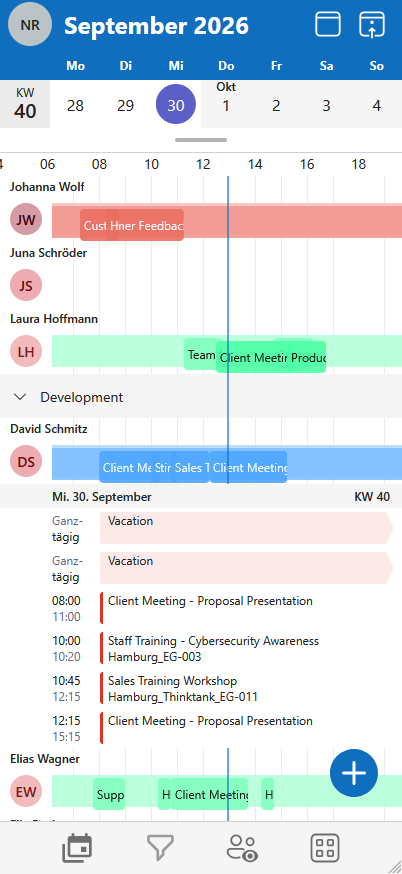
Your calendar on the go

TimeFleX Mobile automatically adapts all features to smartphone and tablet. Create, change and delete appointments on the go – without restrictions.

No installation

Runs as a web app right in the browser – no app store.

All modules

Calendar, desk sharing and more in one application.

Microsoft login

Sign in conveniently with your Microsoft account.

Always up to date

New features available instantly – no app update.

TimeFleX Mobile in action

How to use TimeFleX on the go
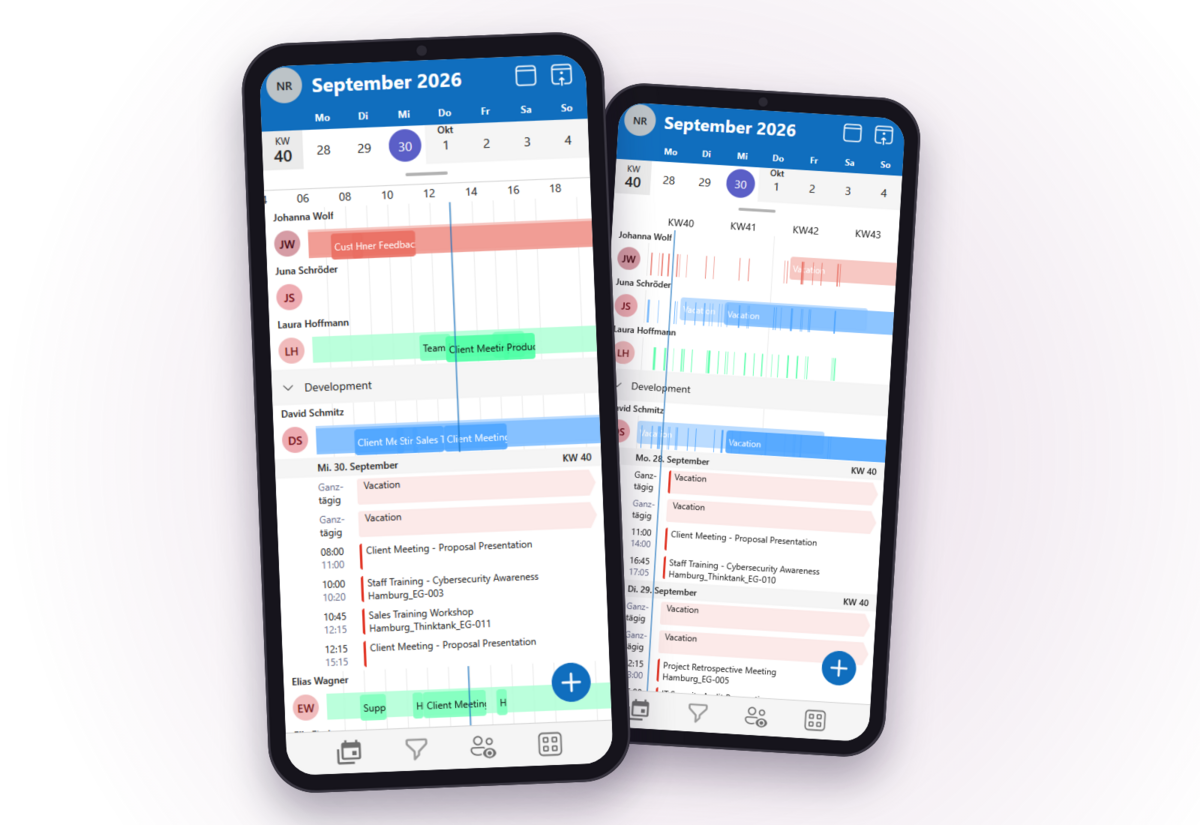
Four examples from everyday mobile work.

Group calendarAppointmentsDesk sharingMy bookings

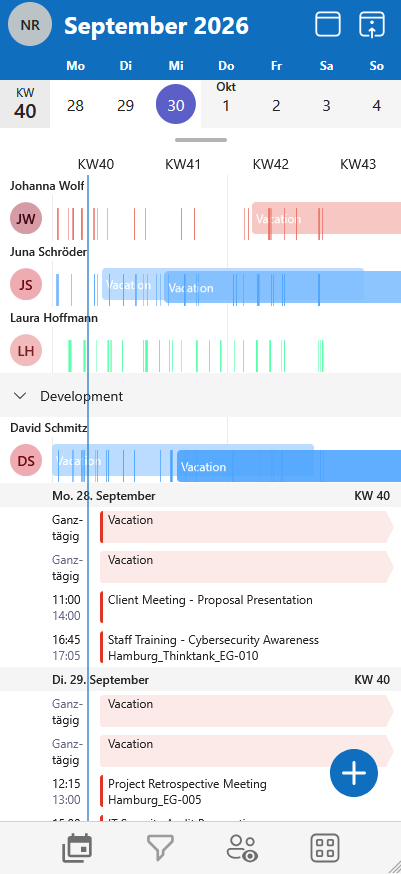
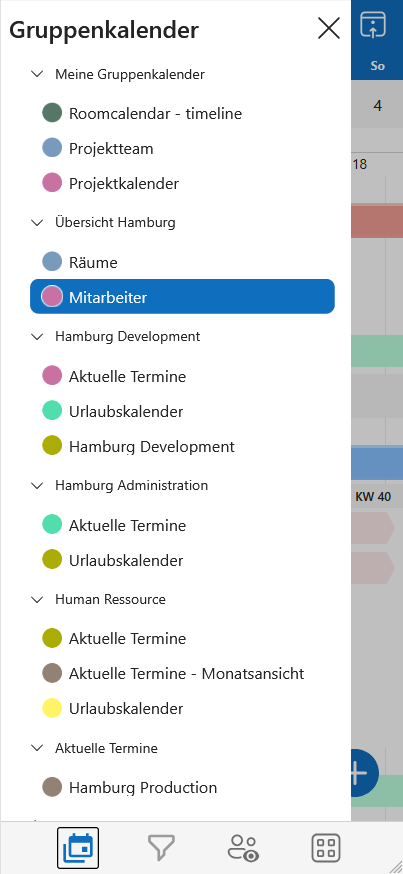
Group calendar

 Your team's appointments in your pocket

Day overview, timeline or calendar weeks: your group calendars are just one tap away, even on the go.

  • All group calendars just like at your desk
  • Views for a day, 3 days or calendar weeks
  • Filters by appointment type, availability and importance

Appointments

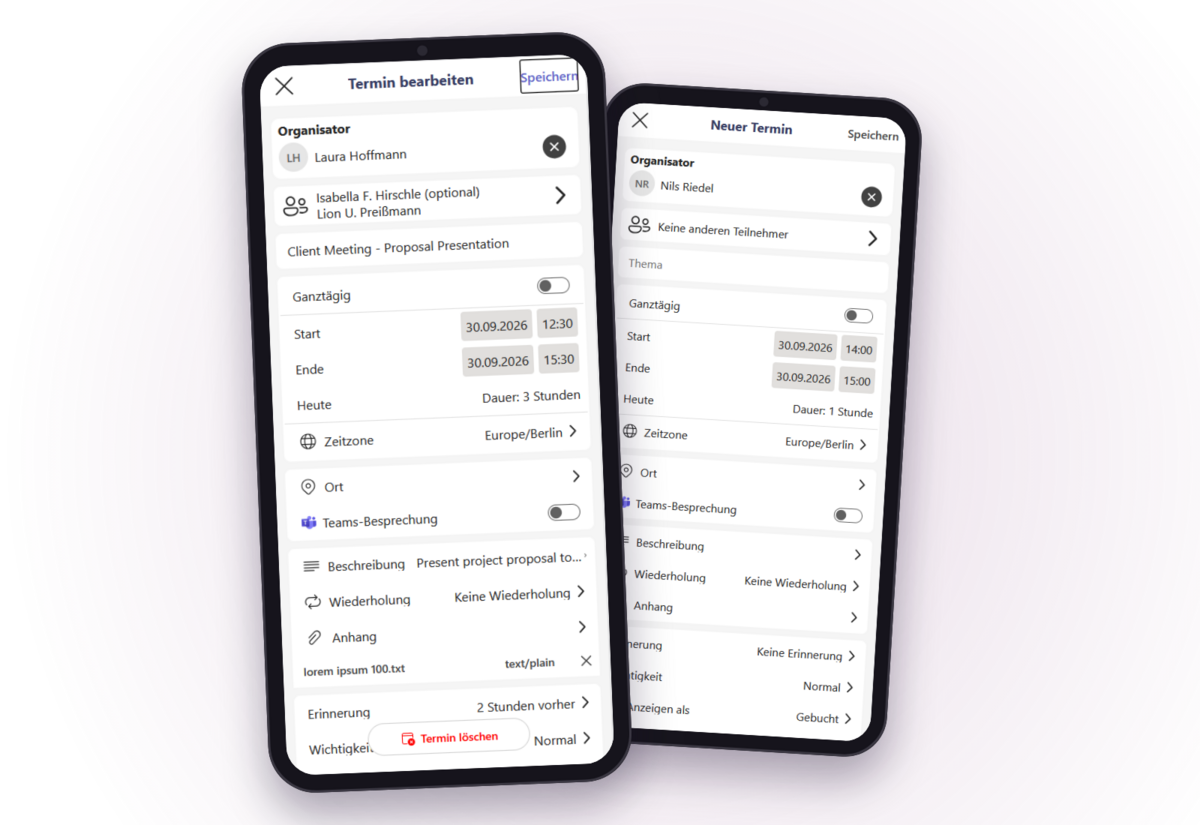
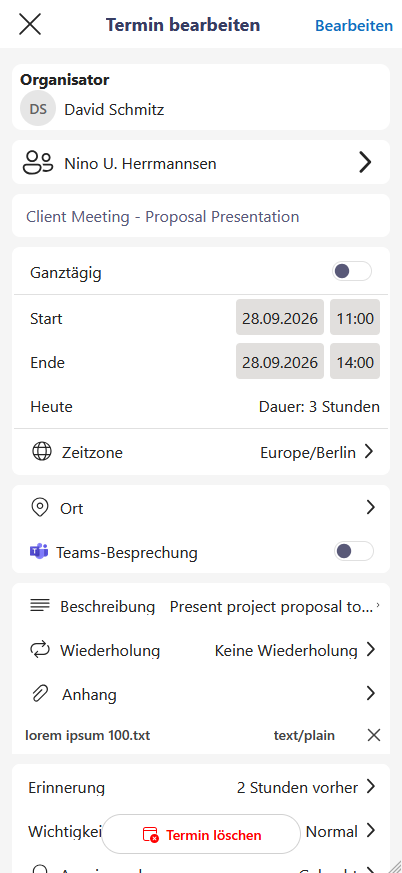
 Create and edit appointments – on the go

Attendees, location, recurrence and Teams meeting: on mobile you create appointments just as completely as at your desk.

  • Add attendees and rooms
  • Recurring appointments with repetition
  • Teams meeting with one switch

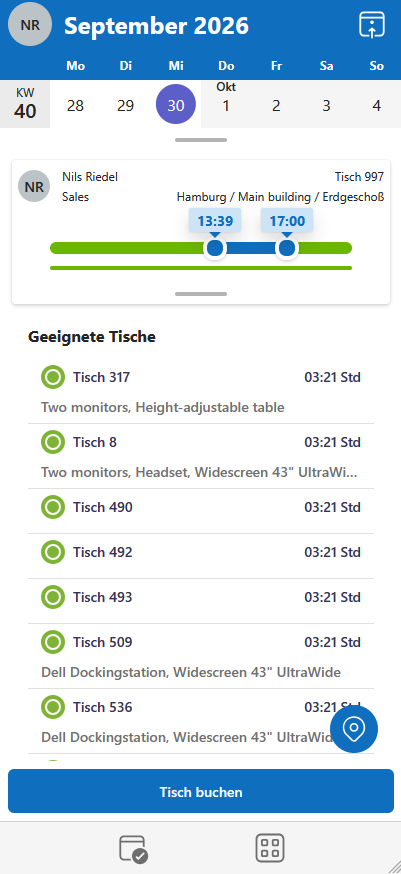
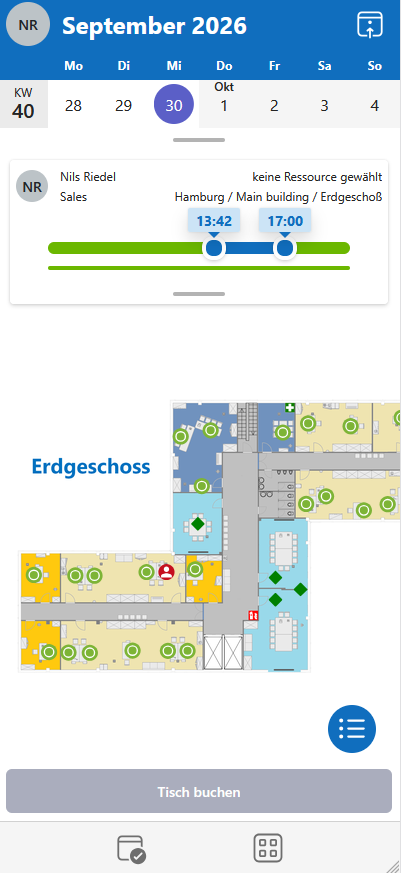
Desk sharing

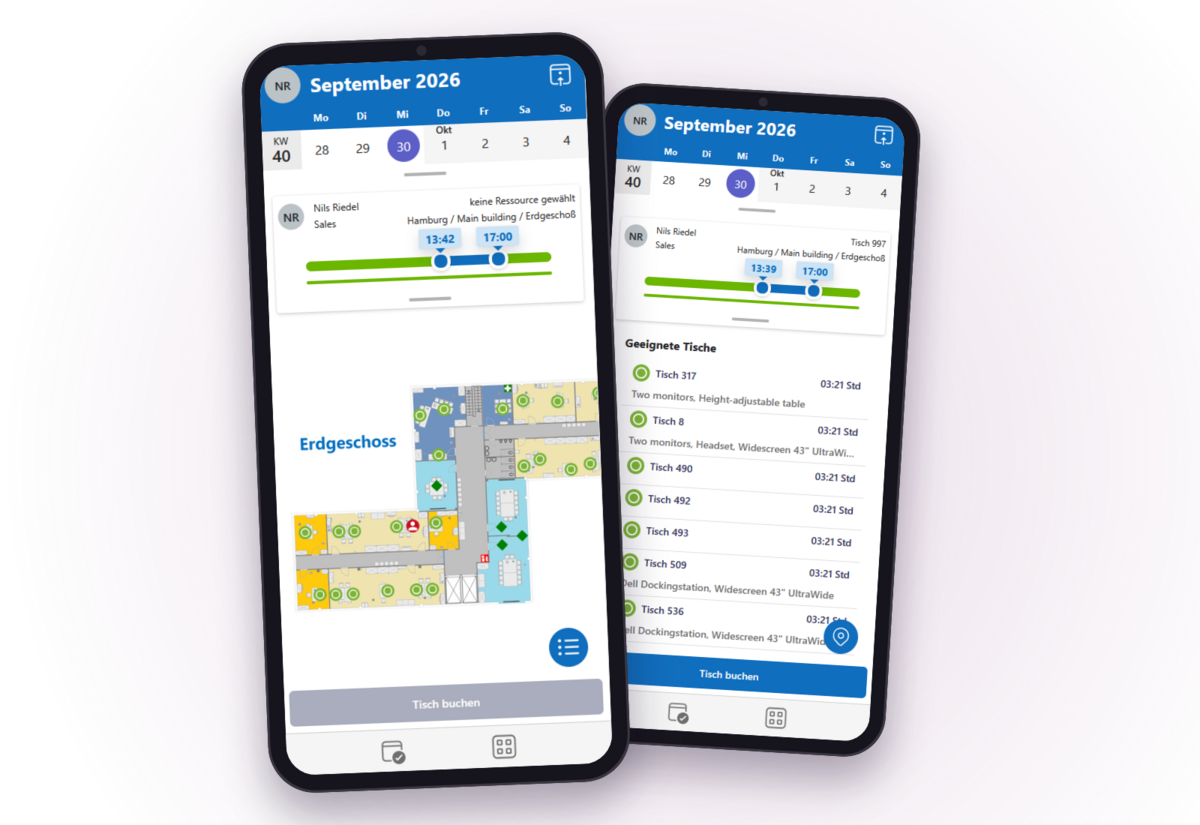
 Book the right desk on your phone

Open the floor plan, choose a free desk, book it – in seconds, right from your smartphone.

  • Floor plan with free and occupied desks
  • Booking options by location, building and floor
  • Suitable desks by equipment

My bookings

 All bookings at a glance

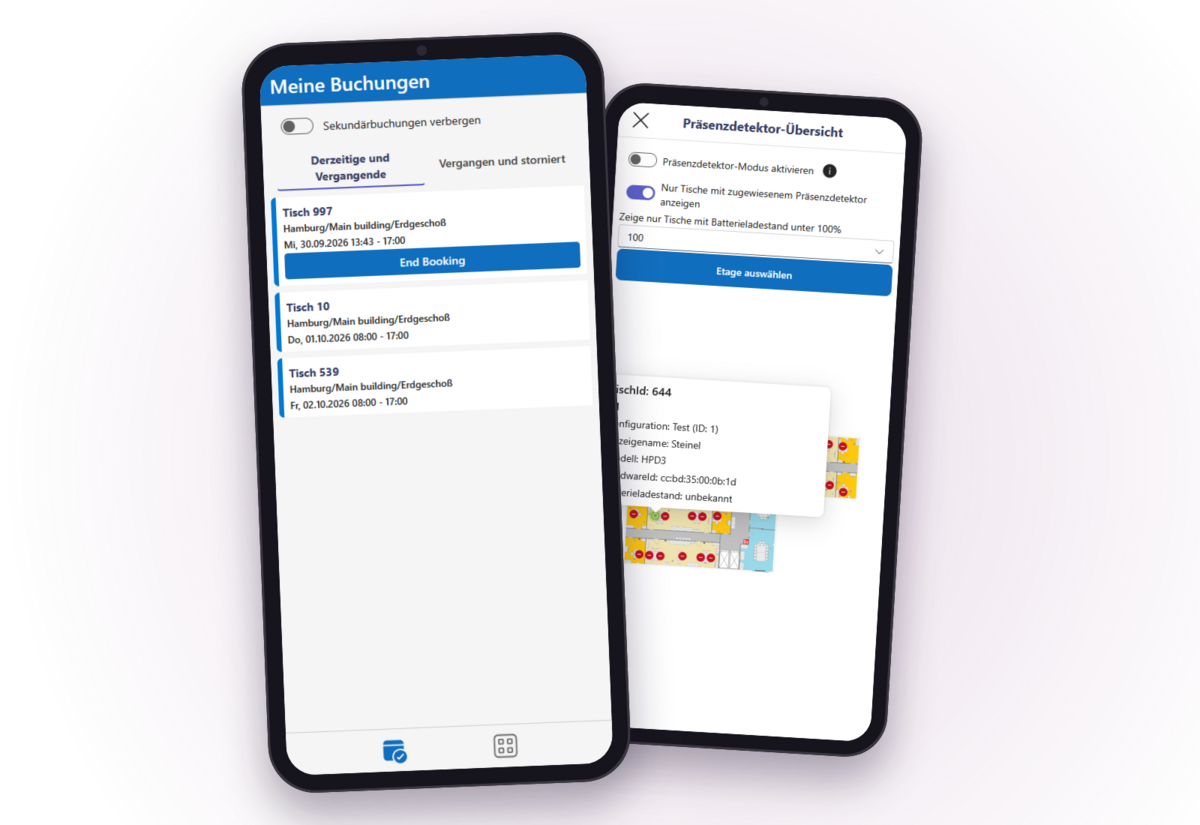
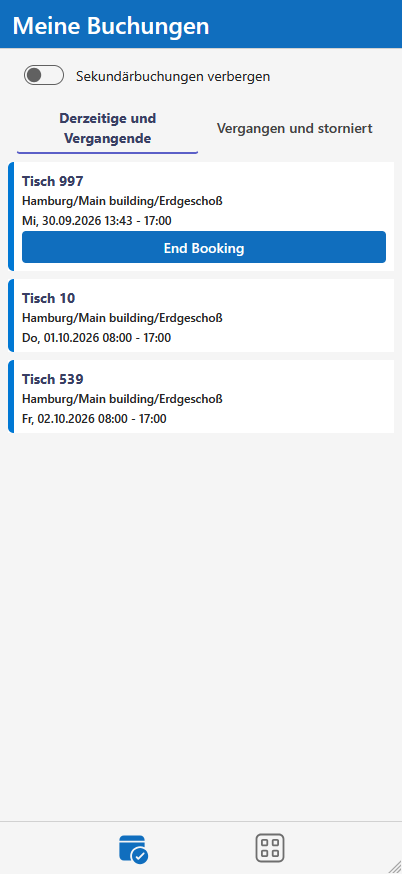
Current, upcoming and past bookings at a glance – end ongoing bookings with a single tap.

  • Current and past bookings separated
  • End a booking right in the list
  • Presence detectors in the overview
Request a free demo

Gift icon – try TimeFleX for free
Try it for free

Try out TimeFleX!

Obtain a quick initial impression with our fully functioning online simulation.

Or would you prefer to try it out directly in your Microsoft environment?
Order our 30-day no-obligation demo and discover what TimeFleX can do for your organisation.

Go to live simulationRequest demo version

Personal consultation

Your contacts

We advise you personally and are happy to show you TimeFleX live – by phone, e-mail or via our contact form.

Nils Riedel

IT Account Manager

Phone: +49 (0) 24 29 / 90 91 - 414
E-mail: nils.riedel@timeflex.de

Guido Heinemann

IT Account Manager

Phone: +49 (0) 24 29 / 90 91 - 417
E-mail: guido.heinemann@timeflex.de